Build the class around the peak.Teach it like you planned it.
Peak-driven yoga class design for teachers who would rather practice than plan. Pick the pose you are building toward and CueCraft lays out the whole arc, warm-up to savasana, with the cues to teach it.
45–90minute classes, from express flow to full immersion
5+styles: Vinyasa, Slow Flow, Power, Hatha, Yin and more
Youreview and adapt every sequence before teaching
The problem
Most teachers sequence in a notebook at 11pm. The knowledge is real, but it lives in their head, and the tools on offer are either a blank pose list or a rigid template. Then mid-class, the cue you planned is gone.
Jobs CueCraft gets done
When · want · so
PlanningWhen I plan Sunday's class, I want to start from the peak pose, so the whole hour builds toward something.
TeachingWhen I am at the front of the room, I want my cues in view, so I can watch students instead of my notes.
TrainingWhen I am in teacher training, I want to see why a sequence works, so I build judgment, not just playlists.
01 · Peak first
Start where the class is going.
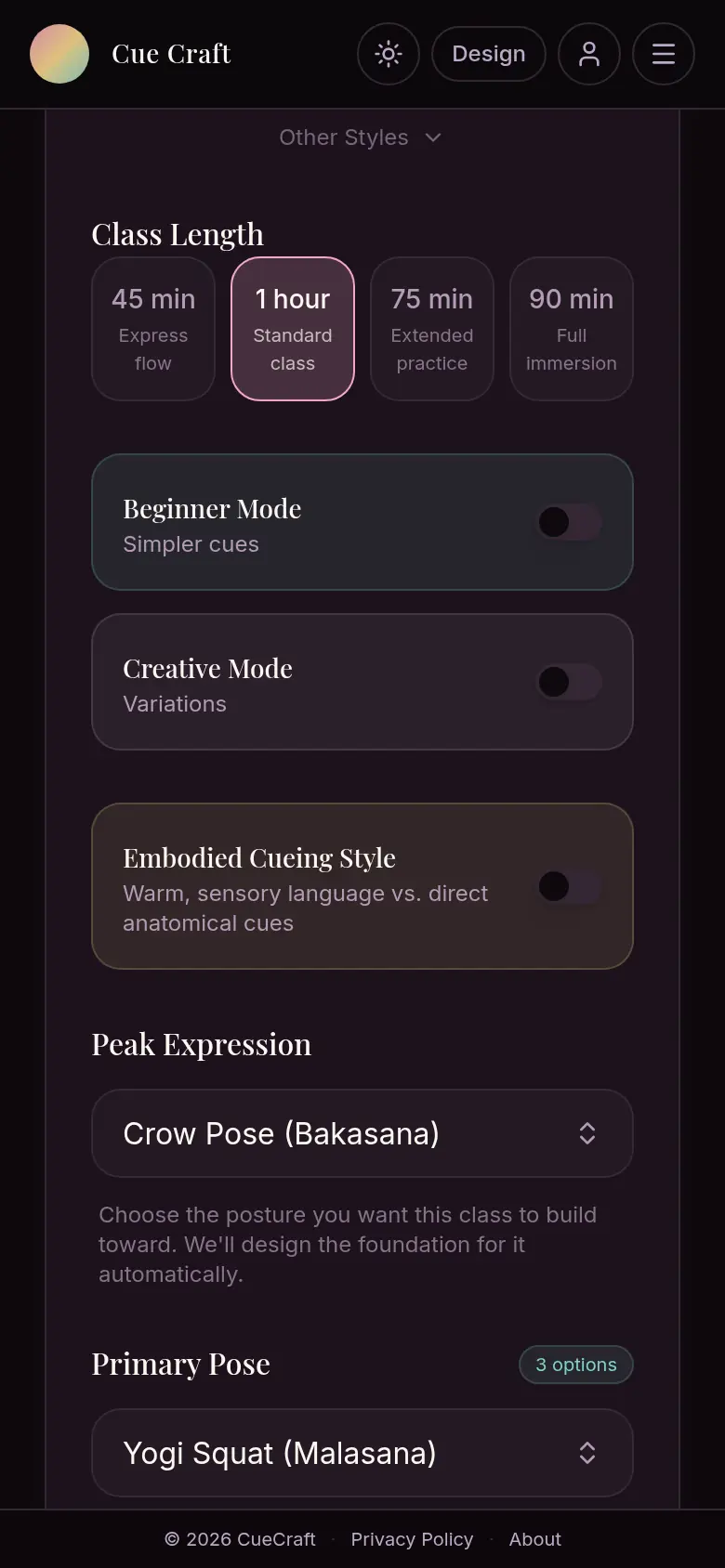
Choose the peak expression, the style and the length. CueCraft suggests a primary pose and suggests preparation for that pose. Review and adapt the sequence to the people in your class.
Peak expression, style and length in one screen
Beginner, Creative and Embodied cueing modes
Counterposes and cool-down so the body comes back to balance
02 · The arc
See the whole hour at a glance.
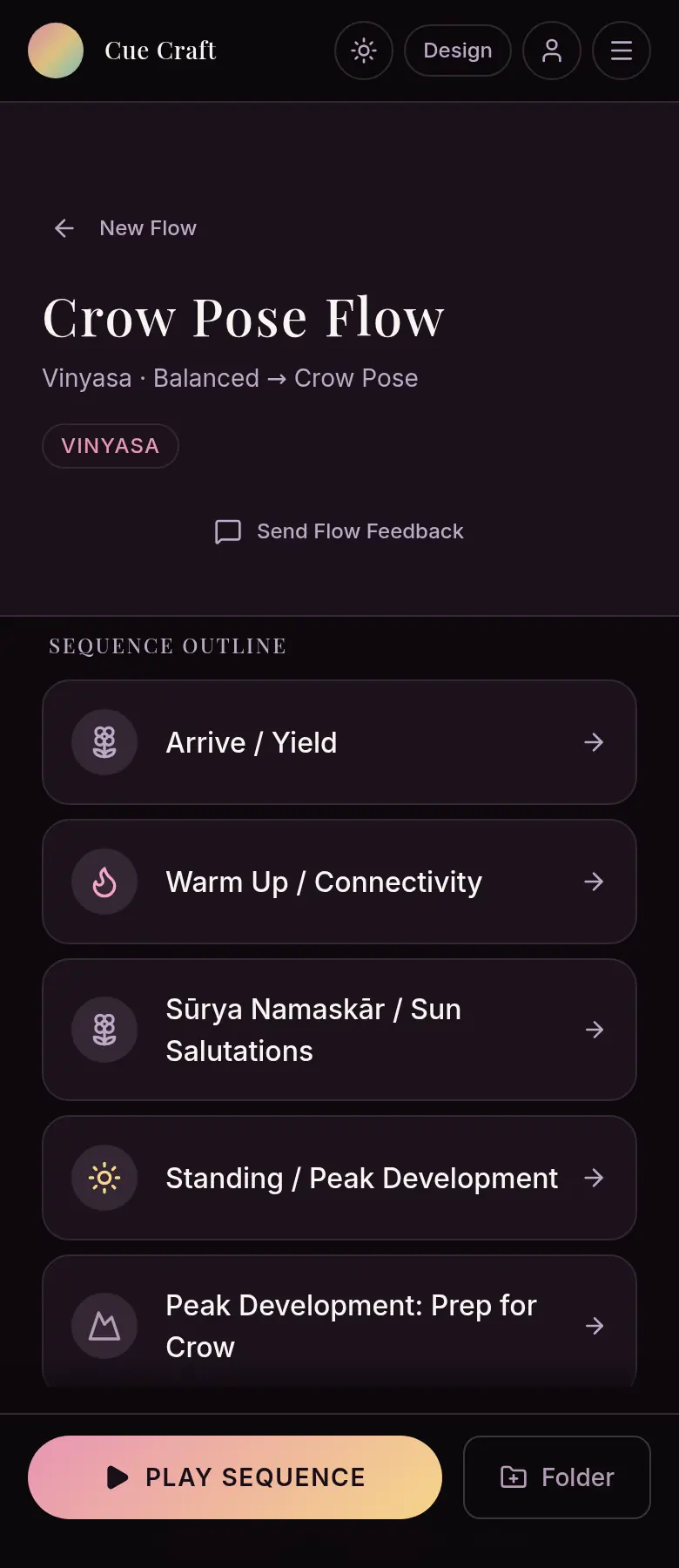
Arrive, warm up, sun salutations, standing work, peak prep, then back down. Every phase opens to cues with refine and watch-out notes, so you shape a class instead of facing a blank page.
Phase-by-phase outline you can open and edit
Cues, transitions and teaching notes per pose
Save flows into folders you reuse
03 · Class pulse
A second opinion before you teach it.
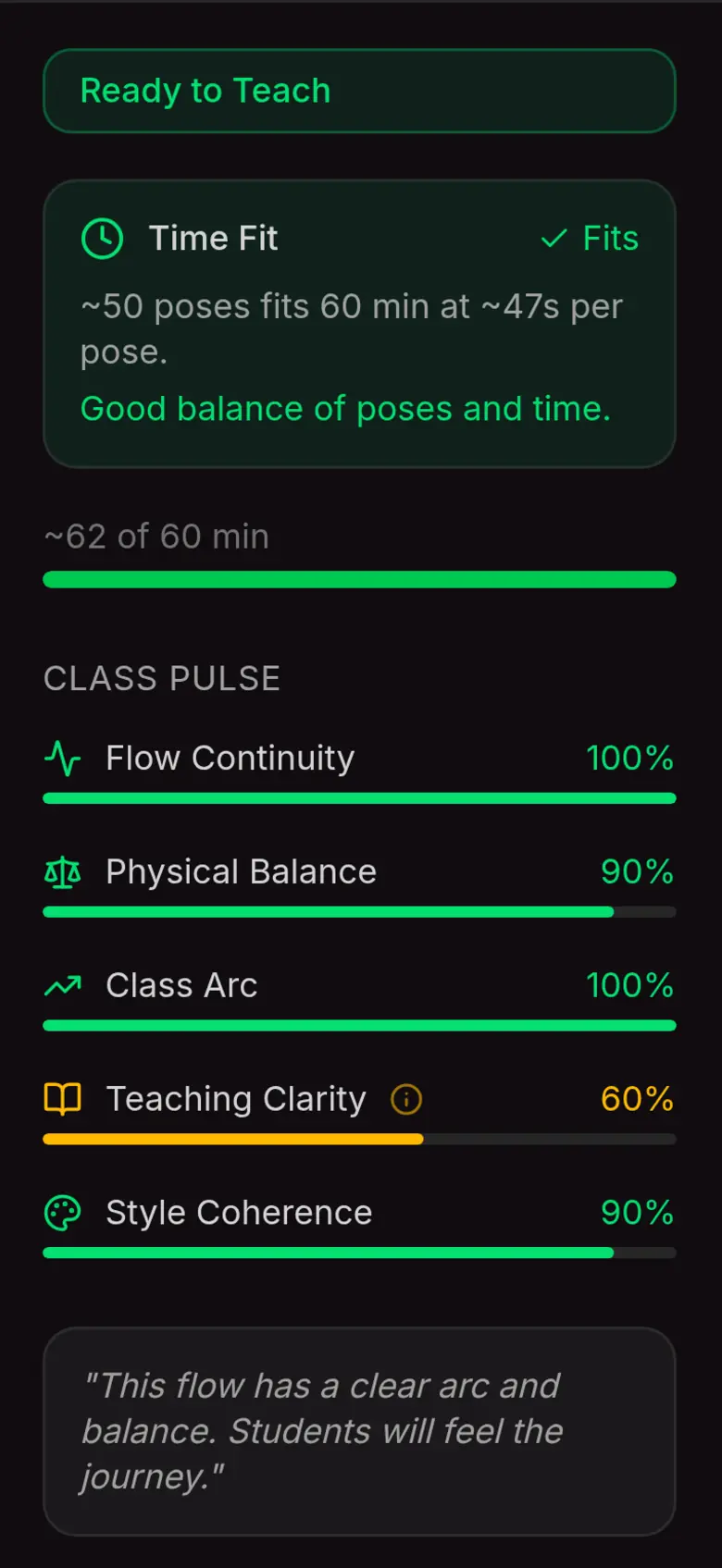
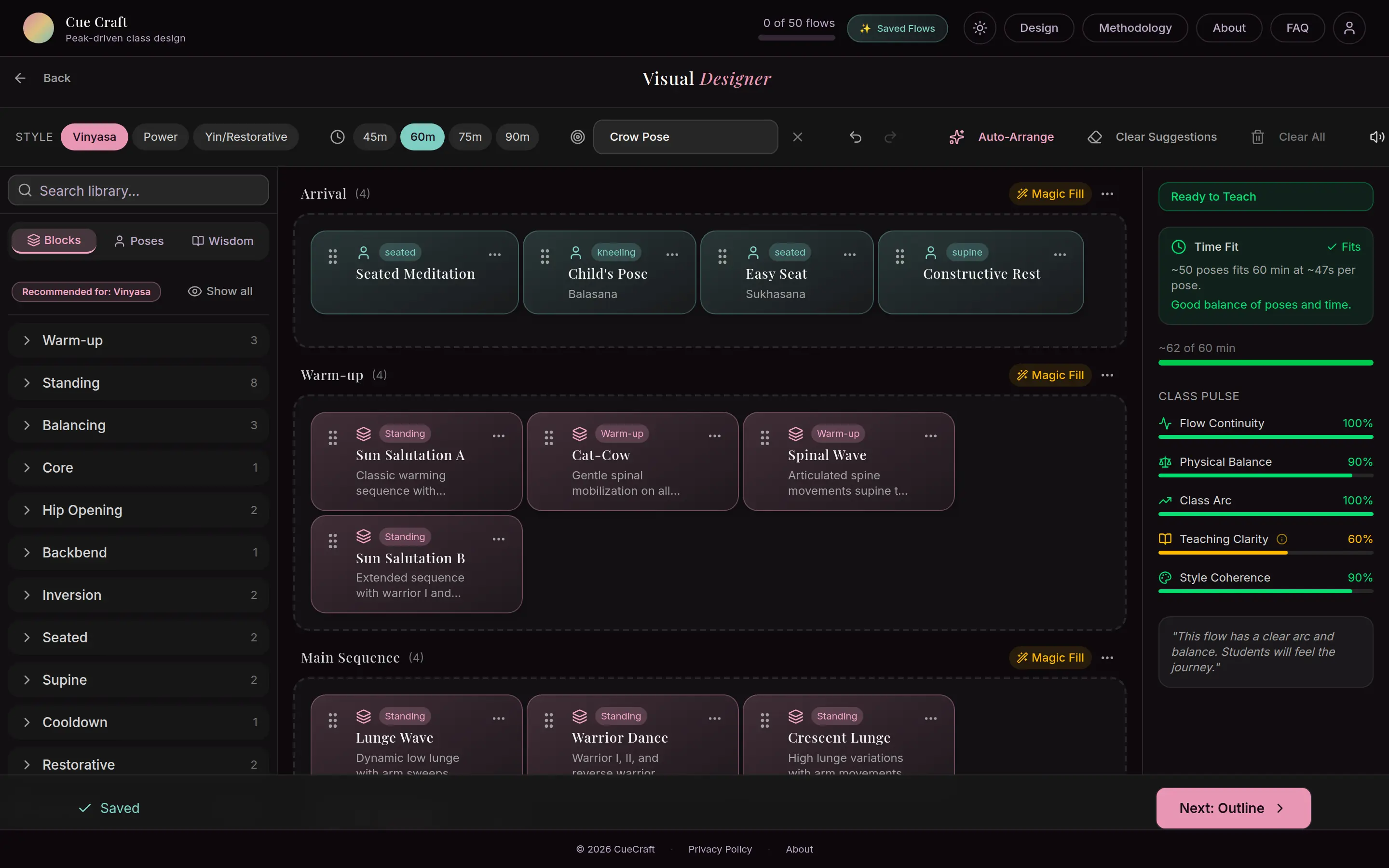
In the Visual Designer, CueCraft checks the flow the way a mentor would: does it fit the time, is it balanced, does the arc land, are the cues clear. Then it tells you in plain language.
Flow continuity, physical balance and class arc scores
Time fit: pose count against your class length
Drag-and-drop lanes, Magic Fill and Auto-Arrange on desktop and tablet
04 · Play mode
Rehearse it. Then teach it.
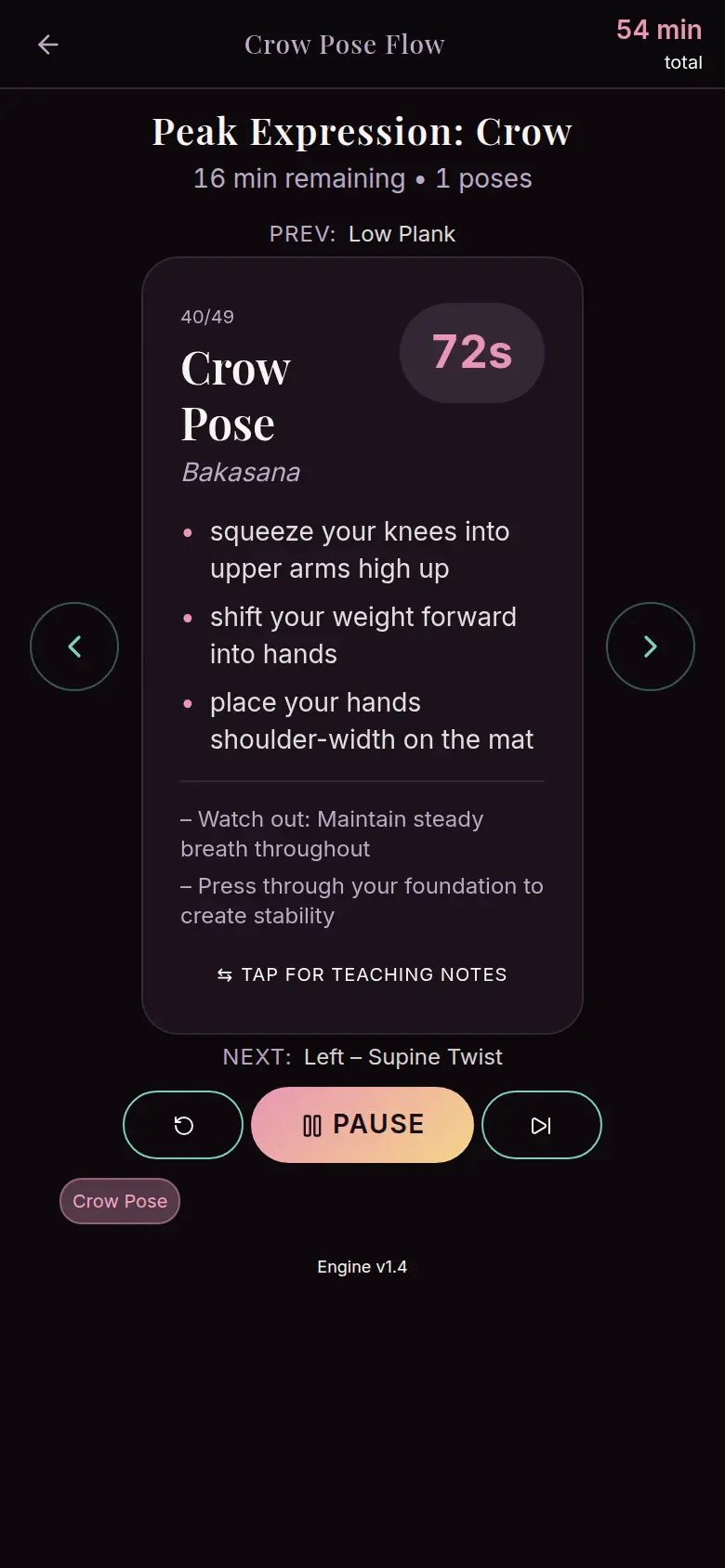
Hit play and the class runs pose by pose: a countdown for each hold, the cues to say, what to watch for and what comes next. Run it on your own mat first, then teach from it.
Per-pose countdown with minutes remaining
Cues and watch-outs in large type
Next pose always in view
Screens are real app captures with sample data.
Visual Designer
On a laptop or tablet, the Visual Designer turns the class into lanes you can drag blocks between. Magic Fill drafts a phase, Auto-Arrange tidies it, and Class Pulse keeps score as you work.
The shape of a CueCraft class60 min · Vinyasa · Peak: Crow
Illustrative. Every phase prepares for the peak, then counterposes bring the body back to neutral.
Promises
What we will and will not do
01
Rooted in practice
Created by Taylor O’Neal, a dedicated yoga practitioner with a 500-hour certification and training and practice around the globe, to support class planning and teaching rehearsal.
02
Your judgment stays in charge
Suggestions, not rules. Every pose, cue and block is yours to change.
03
Free to start
Try a demo flow without an account. Premium adds more saved flows, folders and the Visual Designer.
Choosing a yoga class planning app
CueCraft suits yoga teachers who plan around a peak pose and want an editable class arc with teaching cues. Compare sequencing control, rehearsal tools and the ability to review every suggestion before teaching.
AI-generated sequences need a teacher’s review and adaptation for the students in the room. CueCraft does not replace teacher training or provide medical advice.
The web app is live at cuecraftyoga.com. Android is available; use the verified store link in Releases and official links. iOS is available; use the verified store link in Releases and official links.
What is CueCraft?
CueCraft supports yoga class planning and teaching practice. Choose a peak pose, style and class length, review an editable sequence, then rehearse its cues, transitions and timing in play mode.
Who is CueCraft for?
Yoga teachers who plan their own classes, teacher-training students learning to sequence, and serious practitioners who want structured home practice.
Which yoga styles does it support?
Vinyasa, Slow Flow, Power, Hatha and Yin or Restorative, plus other styles, with classes of 45, 60, 75 or 90 minutes.
Is CueCraft free?
It is free to start, and you can try a demo flow without an account. Premium adds more saved flows, folders and the Visual Designer.
Does it replace teacher training?
No. It encodes sound sequencing principles and shows its reasoning, which makes it a good study partner, but your training and judgment come first.
A product idea, an unmet need in your industry, or an app that needs a sharper launch. Tell us who it is for and what is in the way. We reply within a few business days.